The question of "how to connect Starlink" has become practical rather than theoretical today. This technology is used as a backup or primary communication channel, especially under unstable infrastructure conditions. However, for the system to work stably, it is important to understand not only the basic connection but also the nuances of registration, installation, and operation. Let's dive into this issue together with a guide from the Punisher military store!

Starlink: How It Works and What the Kit Looks Like
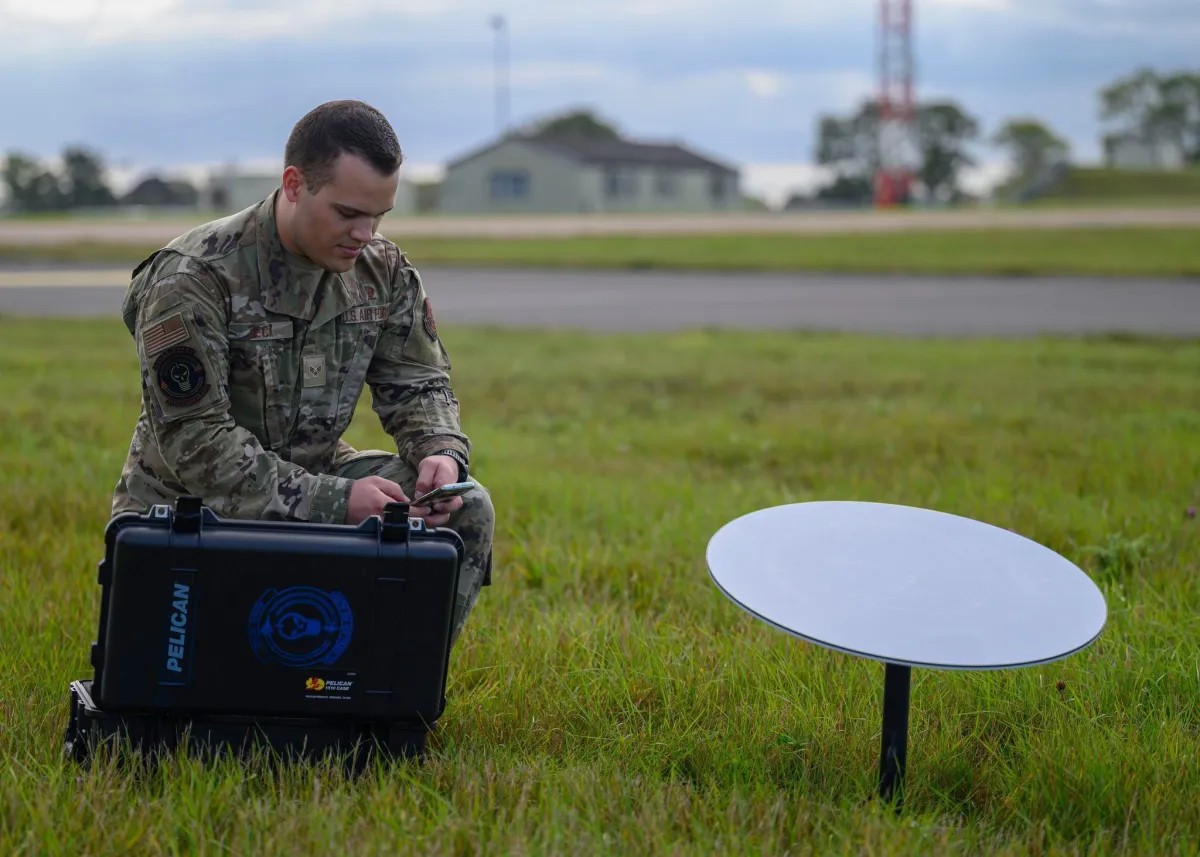
To understand how Starlink works, imagine a simple scheme: an antenna (dish) connects to low-orbit satellites and transmits the signal to your Wi-Fi router.
A typical kit includes: an antenna, a router, and cables for connection.
Visually, it is a compact flat antenna installed in an open area – a roof, a yard, or a tripod.
In field conditions, the key is not the antenna itself, but its placement. Even a small obstacle (branches, walls) can critically affect signal stability.
The Starlink antenna automatically changes its tilt angle to find the best signal – without manual adjustment.
How to Connect Starlink: A Practical Instruction
In short, the process is as simplified as possible and takes up to 15-20 minutes.
First, you need to place the antenna in an open space where it has a direct view of the sky. Next, connect it with a cable to the terminal and apply power. After that, install the Starlink app on your smartphone and perform the network setup.
After startup, the system will automatically find satellites and establish a connection.
The most common mistake is starting it indoors. The antenna must "see" the sky; otherwise, even a correct connection will not yield results.
How to Connect to Starlink on a Phone
The request for "how to connect to Starlink on a phone" actually refers to setting up Wi-Fi.
After installing the equipment: you need to create a network through the Starlink app, set a name and password, and connect to it like a regular Wi-Fi.
Effectively, the phone acts only as a management interface.
The Starlink app has an obstacle check function – it shows whether trees or buildings are interfering with the signal.
How to Fold Starlink and Prepare for Transportation
Requests like "how to fold Starlink" or "how to fold a Starlink antenna" often arise among mobile users.
The design allows for simple disassembly: the antenna is detached from the mount, the cable is removed, and all elements are folded into the box.
Important: do not bend the cable or allow impacts to the antenna surface – it is a sensitive element.
From experience – most damage occurs during transportation rather than operation. It is better to spend time on proper packaging.
How to Pack Starlink into the Box: Nuances
To properly prepare the kit for transport: first, turn off the power, wait for the antenna to park (it automatically moves to the transport position), and then carefully disconnect the cables.
This reduces the risk of damaging the mechanics.
Starlink Registration in Ukraine: What You Need to Know
The administrative aspect is no less important than the technical one.
In Ukraine, the use of Starlink is allowed for all users during the period of martial law.
To connect, you need to order a kit through the official website, create an account, specify the usage address, and pay the subscription fee.
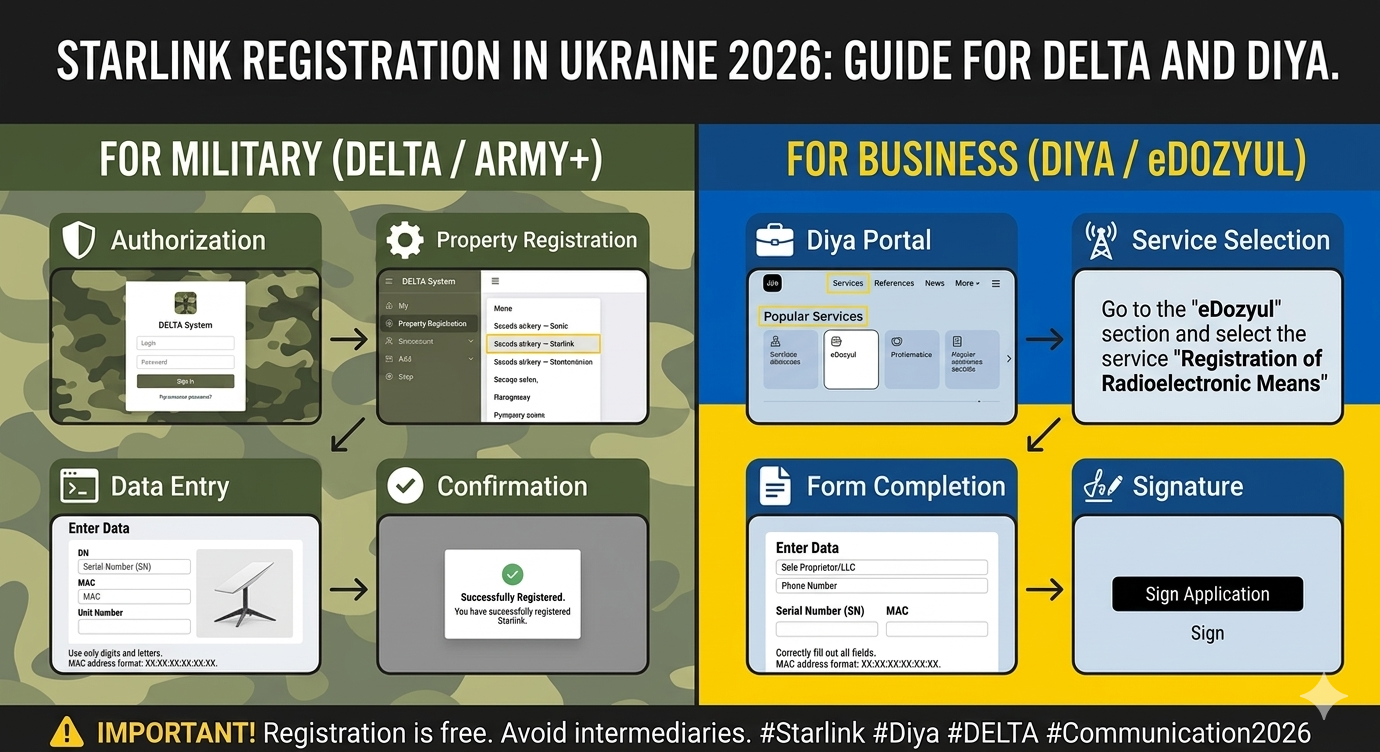
In February 2026, mandatory registration of terminals was launched in Ukraine to prevent their use by the enemy (the so-called "White List"):
-
Civilians apply to Administrative Service Centers (CNAPs);
-
Military personnel register equipment through the DELTA system or the "Army+" app;
-
Businesses submit applications through "e-Dozvil" on the unified state services portal "Diia."
If you are buying equipment "second-hand," check if the terminal is linked to an account. This is critical – otherwise, connection may be impossible.
Starlink does not work like a mobile network – each terminal is its own "private internet".
Common Connection Mistakes
In most cases, problems arise not from the hardware but from incorrect use.
Most often, users install the antenna in places with obstacles, ignore firmware updates, or use unstable power supplies.
From experience: a stable power supply is one of the key factors, especially in field conditions.
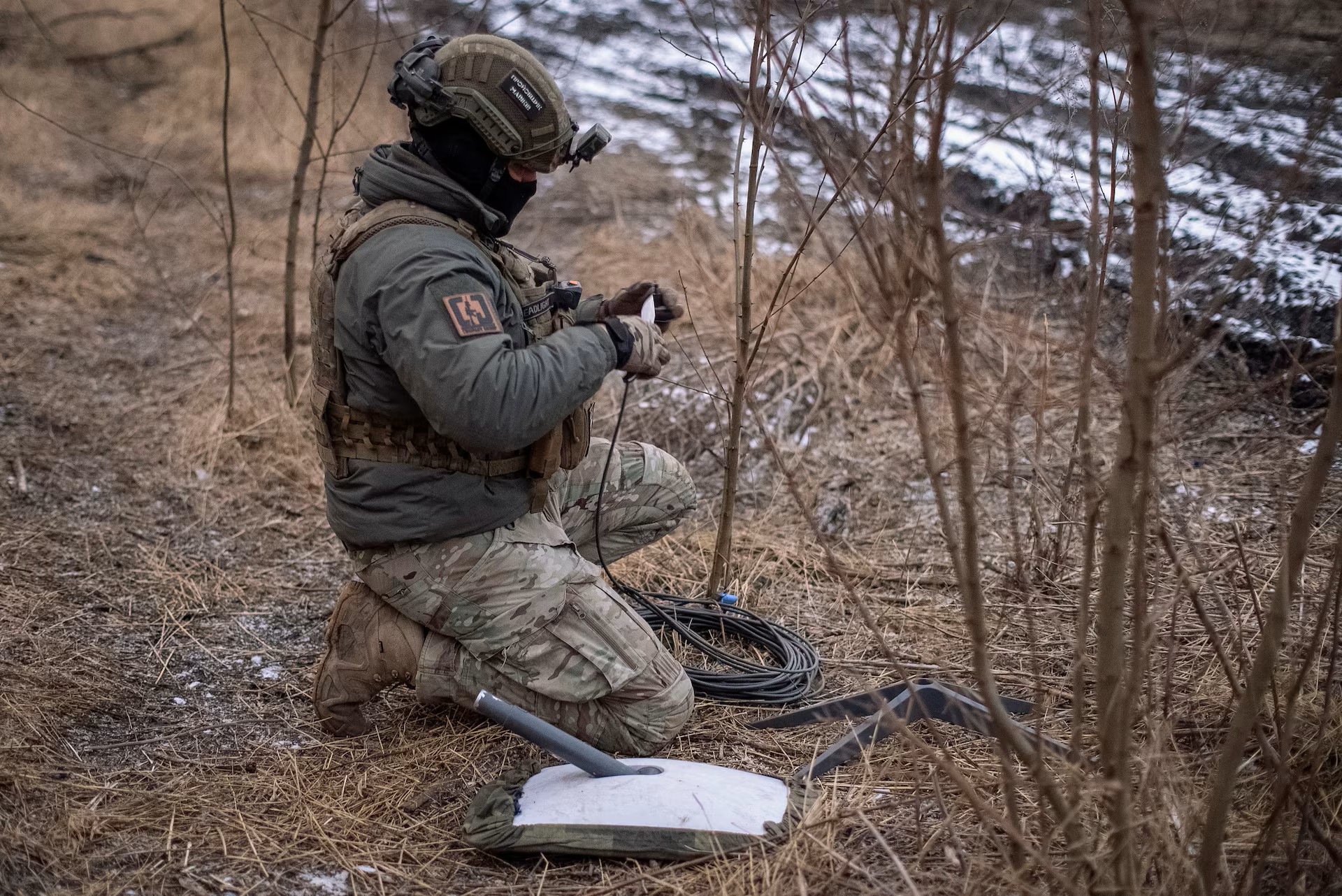
Understanding how to connect to Starlink is not just about the instructions, but about a competent approach to deploying communications.
Starlink provides a unique opportunity to stay online anywhere, but maximum efficiency is achieved only with proper installation, registration, and operation. As for the technology itself, we covered the details in the article "What is Starlink".

Vitalii Buniak — article author
Military gear consultant
Before 2022, he worked as a sales assistant at the Panisher store. After the start of the full-scale invasion, he joined the Armed Forces of Ukraine, gaining real combat experience.
Thanks to his combat experience and deep knowledge of tactical gear, Vitalii serves as a personal expert of the Panisher online store in the fields of:
- Clothing and footwear
- Equipment
His recommendations help customers choose reliable and functional gear for any conditions.
FAQ: Answers to Frequently Asked Questions
1. How to connect to Starlink on my own?
2. What does Starlink look like, and is it difficult to transport?
3. Can I connect to Starlink without hardware?
4. How to connect to Starlink via a phone?